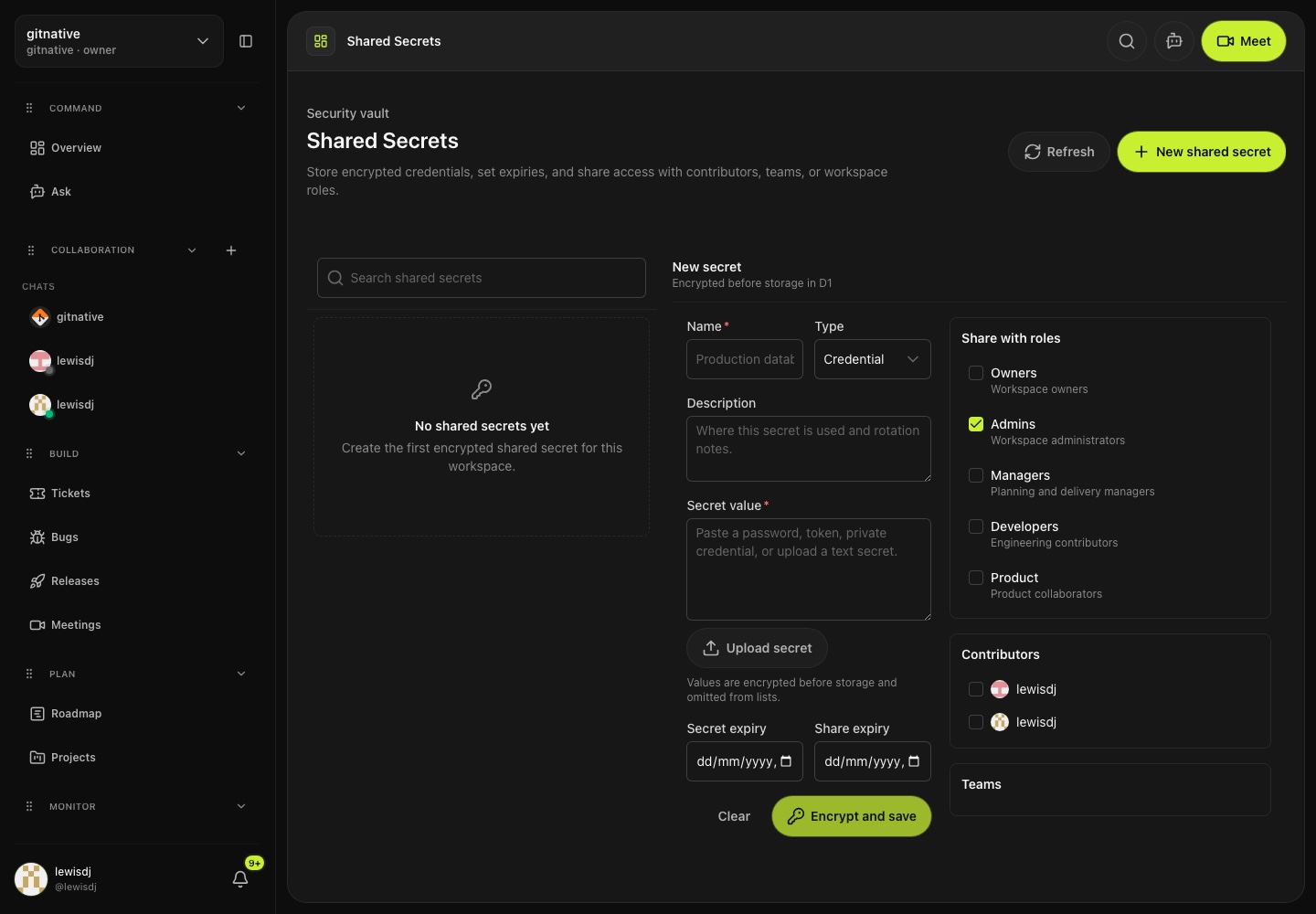
Shared Secrets
Share credentials without dropping raw values into chat.
Store encrypted secrets, set expiries, and share access by contributor, team, or workspace role.
GitNative connects tickets, GitHub, projects, roadmaps, meetings, collaboration, releases, and AI agents so software teams can turn scattered context into reviewed, shipped work.
Connect the stack you already run.
Cloud providers, edge platforms, frameworks, CI/CD, runtimes, and databases.
Providers
Meet gitnative
Bring GitHub, tickets, meetings, collaboration, shared secrets, and agents into one review flow so every next step keeps its source attached.
Sources
Connect commits, PRs, reviews, and ownership to active work.
Keep bugs, tasks, projects, and roadmap decisions in one view.
Turn decisions, boards, and follow-ups into traceable next actions.
Keep conversations, presence, attachments, mentions, and reactions with the work.
Attach approved credential references without exposing raw values in chat.
Give AI tools verified project, ownership, and delivery context.
Review queue
Why it works
Keep each next step tied to the code, meeting, ticket, conversation, secret reference, or decision that created it.
9
Ask, plan, meet, build, collaborate, secure, ship, automate, and monitor.
1
Approve generated work before it moves.
0
Every action links back to a source.
Turn meetings, conversations, bugs, and GitHub activity into reviewed tickets with source links attached.
Use collaboration threads, presence, attachments, and secret references without scattering delivery context.
Connect roadmap work to tickets, QA, dependencies, branches, PRs, commits, and releases.
Send current decisions and ownership context to AI coding tools while keeping secrets and write-backs controlled.
Built for engineering delivery
GitNative is an engineering work platform for software teams. It brings tickets, projects, roadmaps, GitHub delivery, meetings, conversations, decisions, releases, and agent access into one source-backed workspace.
Compare GitNative and Jira across delivery context, AI workflows, collaboration, and migration.
ManageKeep scope, ownership, dependencies, QA, GitHub activity, and release state attached to every ticket.
CollaborateConnect conversations, meetings, decisions, code, tickets, and supported AI agents in one workspace.
The loop
One operating loop for intake, planning, delivery, meetings, collaboration, security, automation, and risk.
Controls
Query current workspace context from drawers, voice input, or the full Ask page.
Collect bugs, requests, meetings, and GitHub activity.
Turn signals into roadmap and project priorities.
Keep tickets tied to code, owners, and decisions.
Capture decisions, notes, follow-ups, and shared delivery boards.
Discuss work with presence, threads, reactions, mentions, attachments, and secret references.
Store shared secrets with expiries and scoped access for roles, teams, or contributors.
Draft assignments, write-backs, and handoffs for review.
Spot blocked work, ownership gaps, and release risk.
Use the GitNative plugin, portable Agent Skill, or hosted MCP server to give supported agents access to decisions, tickets, delivery history, ownership, and workspace context.
{
"mcpServers": {
"gitnative": {
"url": "https://api.gitnative.dev/mcp",
"headers": {
"Authorization": "Bearer ${GITNATIVE_MCP_KEY}"
}
}
}
}
How it works
Start with a source-backed signal, inspect the suggested action, then approve the update before it changes the system of record.
Collect signals from tickets, GitHub, support, meetings, collaboration, and Ask.
Review deduped work, suggested owners, QA state, dependencies, and project context.
Create the ticket, update the board, attach Git activity, and keep secrets protected.
Product screens
Captured from gitnative workflows
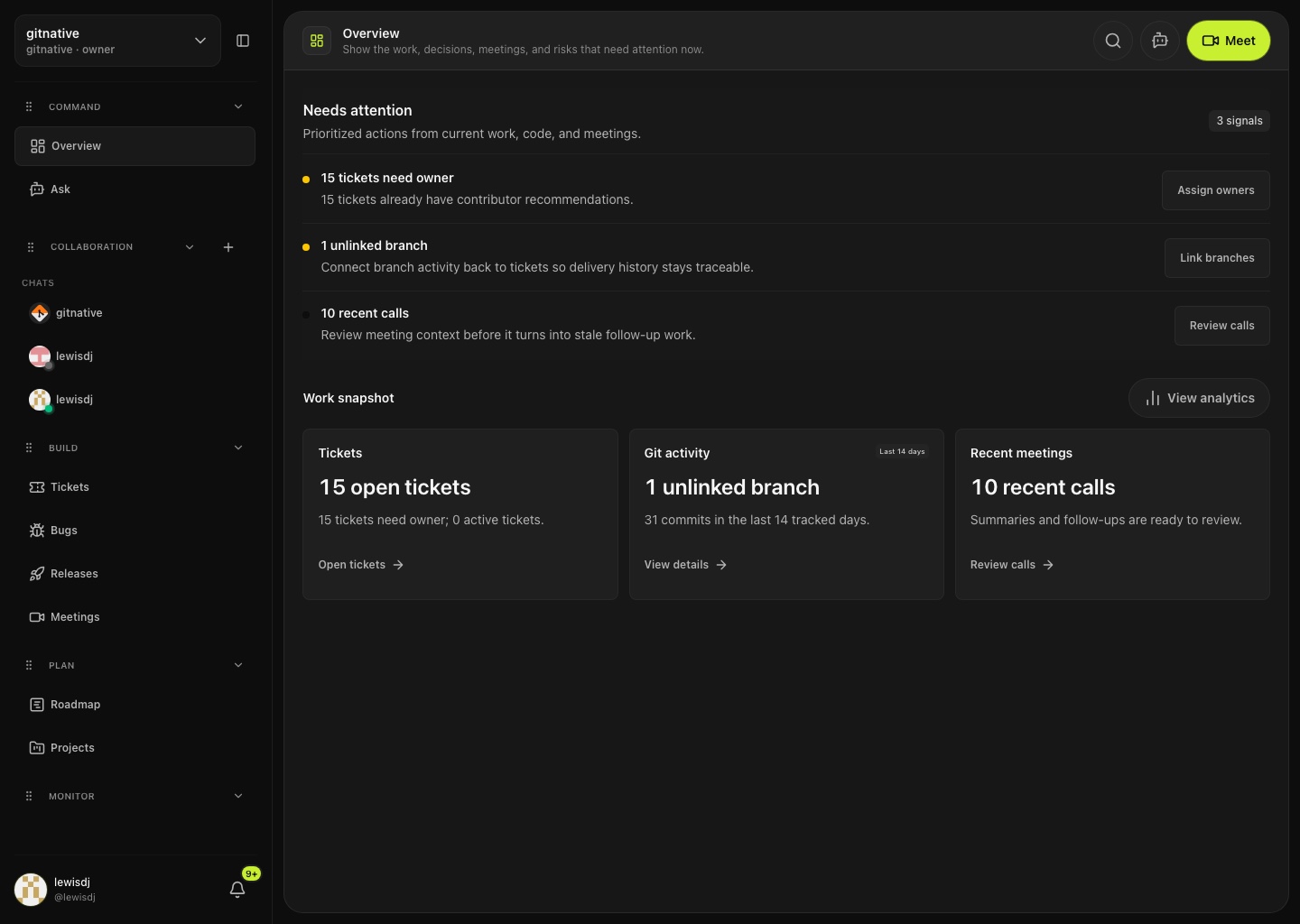
Overview
Current tickets, git activity, meetings, and risks in the product dashboard.
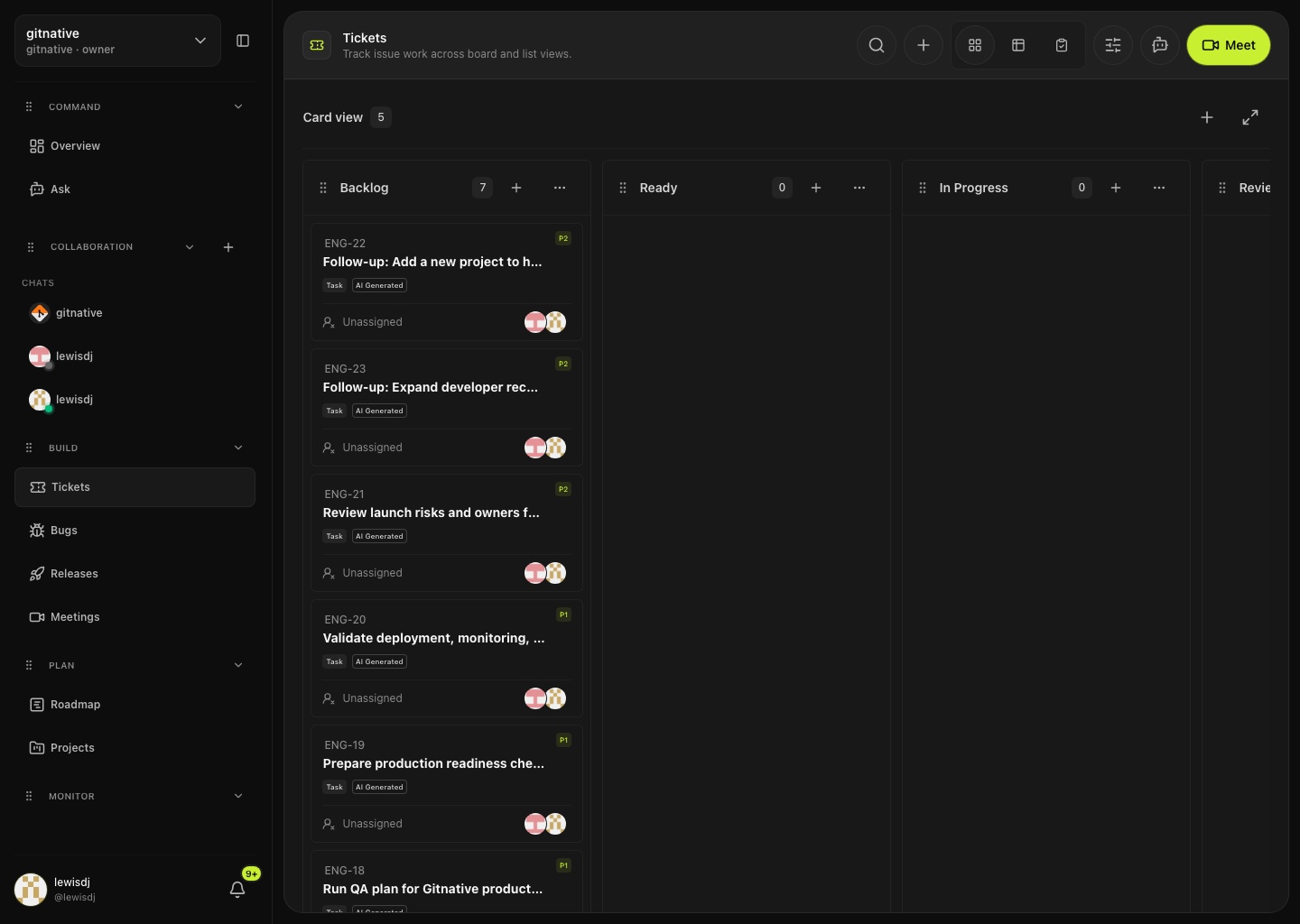
Tickets
Ticket workflow with status, ownership, recommendations, and source-linked work.
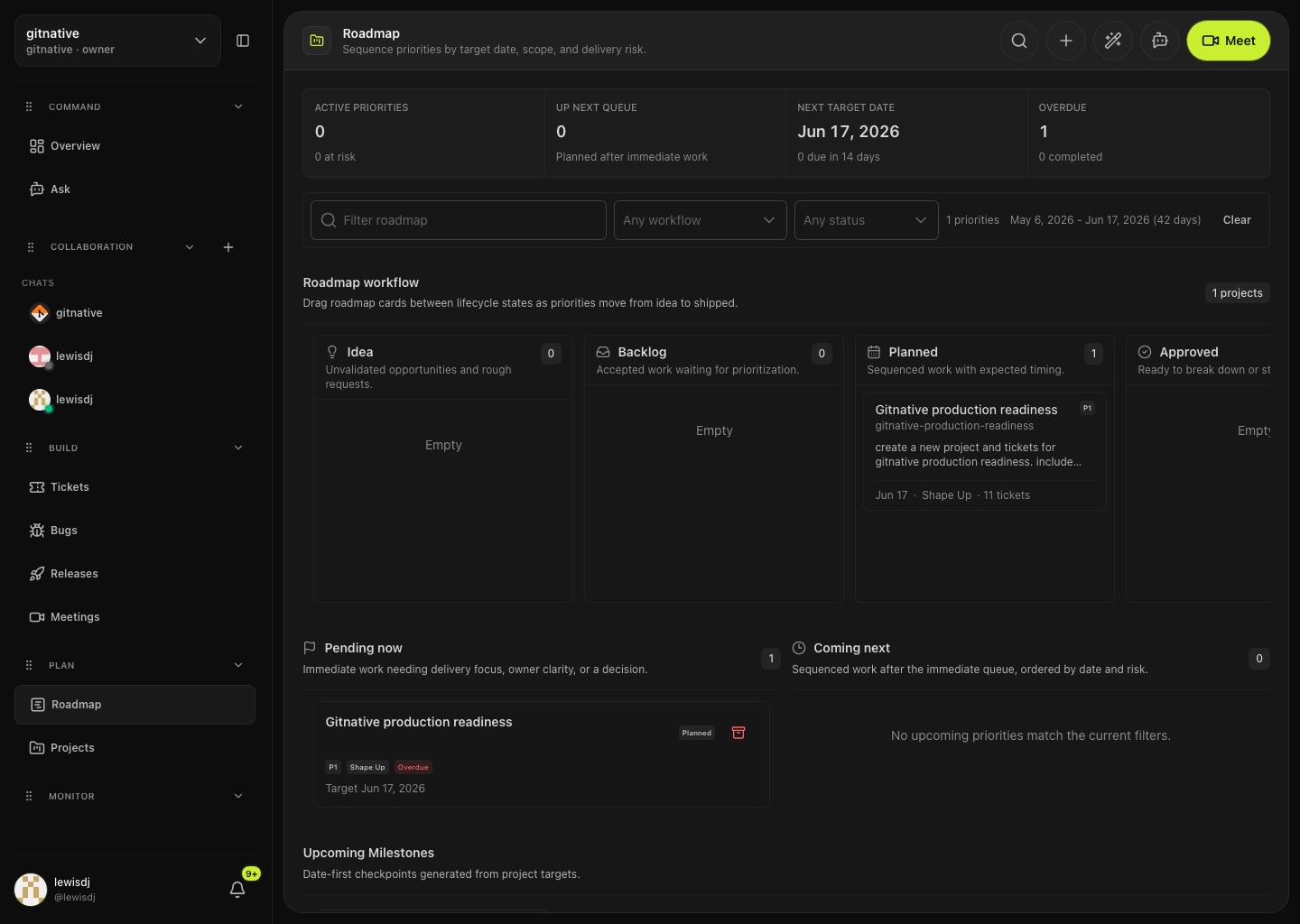
Roadmap
Roadmap planning view with active priorities grouped across delivery lanes.
New capabilities
The latest GitNative surfaces cover the handoffs around engineering delivery: secure credentials, live meeting boards, collaboration, QA, Git activity, usage controls, and product announcements.
Shared Secrets
Store encrypted secrets, set expiries, and share access by contributor, team, or workspace role.
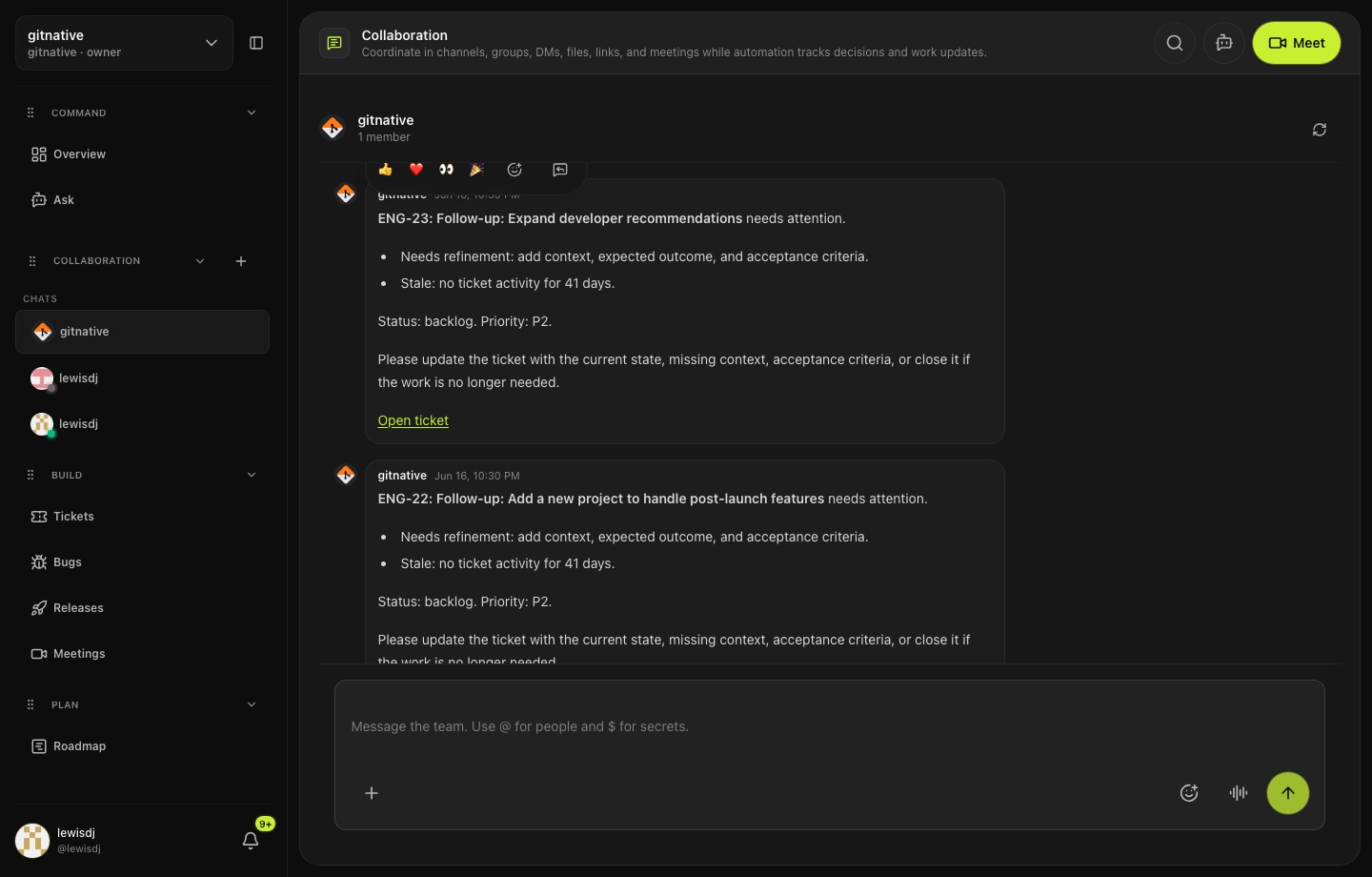
Collaboration
Use presence, reactions, replies, edits, attachments, mentions, and secret references in one conversation surface.
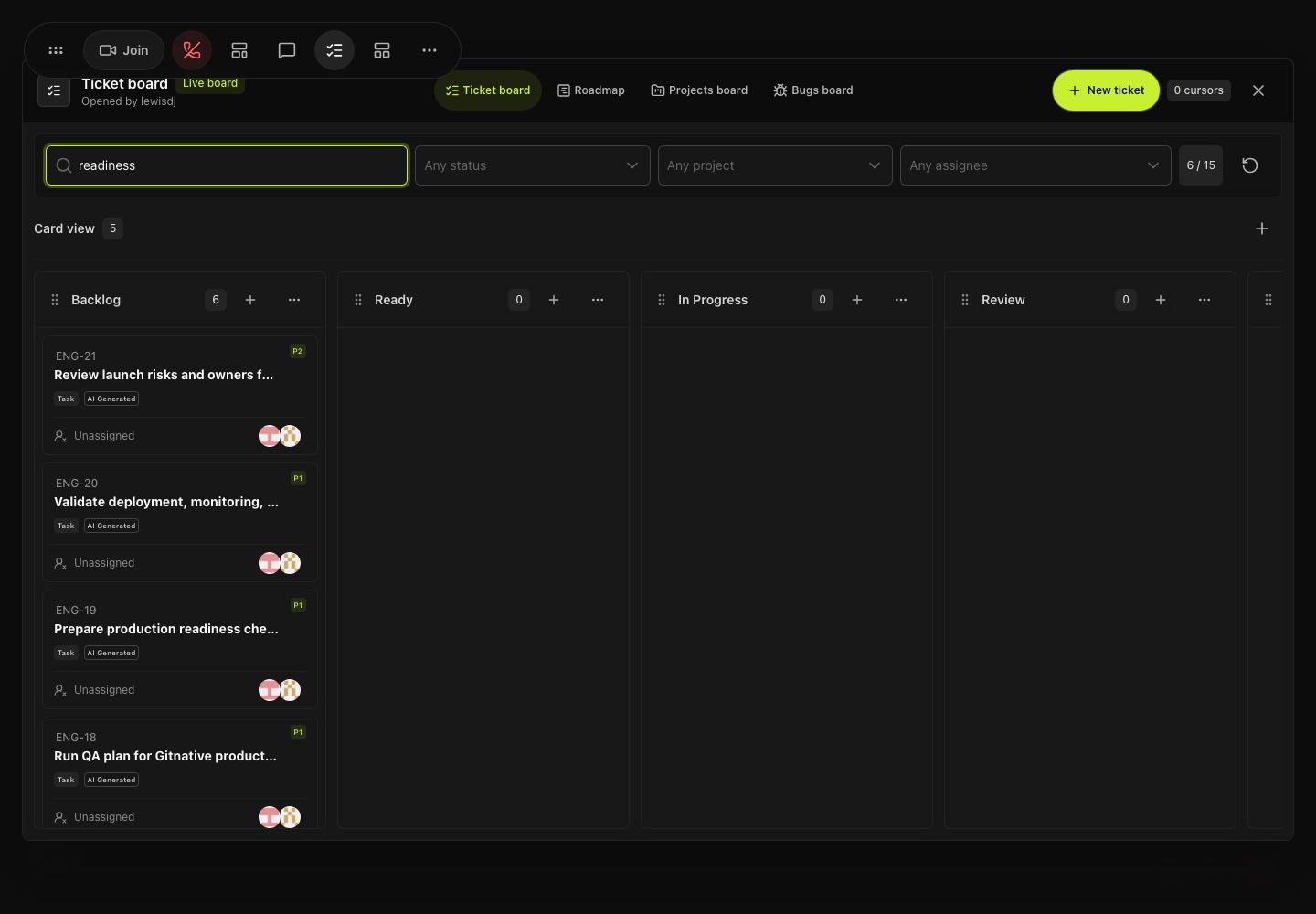
Meetings
Open shared boards for tickets, bugs, roadmap items, and projects, then create or update work together.
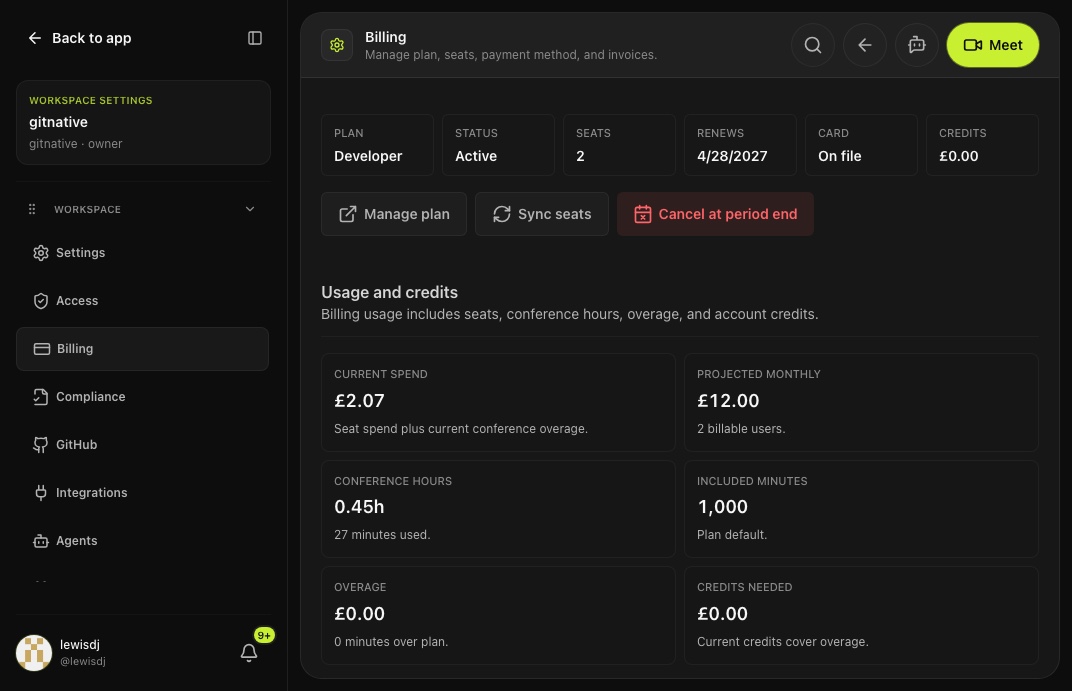
Billing
Track conference hours, top up usage credits, configure auto top-ups, and manage workspace limits.
Open the assistant drawer from workspace surfaces, dictate into Ask, and keep the answer grounded in current delivery context.
Manage QA state, dependencies, branch links, pull requests, commits, quick links, and markdown details from the ticket workflow.
Publish product notifications with screenshots, context, source labels, tones, icons, and CTAs so clients see what changed.
Use cases
Pick the handoff that costs your team the most time, then connect it to the people, code, meetings, credentials, and decisions already involved.
Start with one handoffTurn product calls, GitHub work, support requests, and release notes into a launch plan.
Track ownership, QA state, delivery risk, review load, and follow-up work.
Give contributors clear scope, source links, current decisions, and branch-level context.
Keep roadmap targets, tickets, meetings, collaborative boards, and releases aligned.
Share credentials by role, team, or contributor without exposing raw secret values in chat.
Convert recurring issues into bugs with owners and related work attached.
Send verified project, decision, and ownership context to AI coding agents.
Pricing
Only pay for active contributors. Video call minutes, usage credits, auto top-ups, and workspace limits stay visible in billing.
Prices shown in GBP for United Kingdom.
Up to 2 active contributors.
£0.00
120 video call minutes/month
Per active contributor.
£6.00
1,000 video call minutes/month
Compliance and audit controls.
£10.00
5,000 video call minutes/month
Control
Keep automation useful without losing review, ownership, security boundaries, or source history.
Approve created tickets, project updates, and external write-backs before they move.
Store encrypted credentials with expiries and share access by contributor, team, or workspace role.
Keep project, workspace, ownership, billing, and credential context separated by access scope.
Link actions back to meetings, chats, tickets, PRs, decisions, secret references, and source files.
Share approved context with AI tools through MCP instead of raw workspace sprawl.